Enhancing Security with User-Specific Access Keys for DigitalOcean Functions

By Amulya Tomer
- Updated:
- 5 min read
As teams grow and scale their serverless workloads, managing security postures becomes just as critical as managing code. Our goal at DigitalOcean is to support your growth at every stage. One way we support you is by iterating on our security architecture.
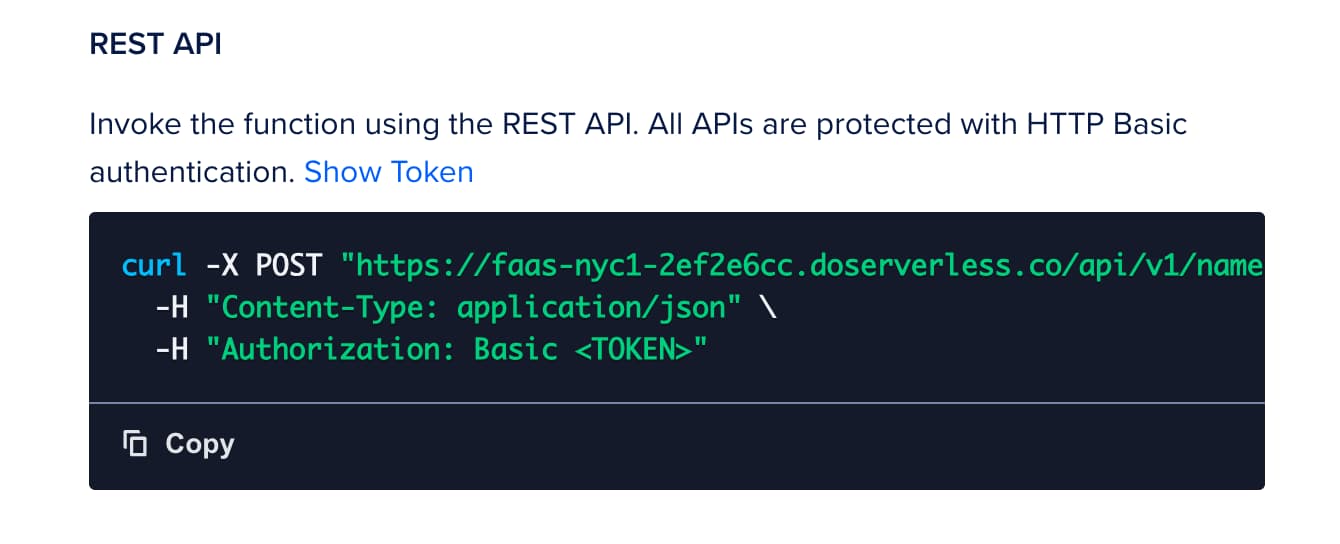
Historically, DigitalOcean Functions used a shared credential model within a namespace that is configured in the settings tab of the function view.
 Same
Same
While simple to start, this model presented challenges for growing teams: if a team member left or changed roles, the shared credentials remained valid. To secure the namespace, admins had to manually revoke and regenerate keys, disrupting workflows for every other developer and production workload using that shared key.
Today, we are excited to announce a considerable upgrade to our access model: user-specific namespace access keys.
This update shifts access control from the namespace level to the individual identity level, ensuring that access is granted to specific users rather than through a shared key.
How user-specific access keys enhance security
This transition to user-specific keys solves several critical use cases for teams:
-
Automated access management: When a team member is removed from your DigitalOcean team, their specific access keys are automatically revoked by the platform. This removes the need for manual key rotation and ensures zero disruption to remaining team members.
-
Multiple keys per namespace: A user can create multiple access keys for a namespace, this would allow for easier manual rotation and management of environment-specific keys.
-
Streamlined accountability: Because actions are now associated with unique user-specific keys, you gain better visibility and auditability into resource management.
-
Expiration support: To limit the attack surface further, access keys can optionally have expiration (TTL). The access key will fail to authenticate for any operation(s) after the expiration time.
Tutorial: Managing Functions access keys via API
The DigitalOcean Functions API has been updated to support programmatic management of access keys. You can now create, list, update, and delete access keys directly via the API, enabling better automation and security hygiene for your serverless namespaces.
Below is a guide on how to interact with these new endpoints. This tutorial is done with Bash Script.
Prerequisites
-
You will need your functions Namespace ID (referred to as
fn-xxxxxxxin the API paths). -
You must have a valid DigitalOcean API Token
($DIGITALOCEAN_TOKEN)withfunction:adminpermission.
1. Create a namespace access key
To generate a new access key, send a POST request to the keys endpoint.
Important: The secret portion of the access key is only returned once in the response immediately after creation. You must copy and securely store it, as you will not be able to retrieve it again.
Request:
curl -X POST \

  -H "Content-Type: application/json" \

  -H "Authorization: Bearer $DIGITALOCEAN_TOKEN" \

  -d '{"name": "my-function-access-key", "expiration": "12h"}' \

  "https://api.digitalocean.com/v2/functions/namespaces/fn-xxxxxxx/keys"**
Response highlights:
- Returns the full key details, including the
secret. - Includes metadata such as
created_atandexpires_at.
2. List access keys
To view all existing keys for a specific namespace, use the GET endpoint. This is useful for auditing your current access credentials.
Request:
curl -X GET \

  -H "Content-Type: application/json" \

  -H "Authorization: Bearer $DIGITALOCEAN_TOKEN" \

  "https://api.digitalocean.com/v2/functions/namespaces/fn-xxxxxxx/keys"**
Response highlights:
- Returns a list of
access_keysobjects. - Includes a
countof the total keys found.
3. Update an access key
If you need to rename a key (for example, to rotate its purpose without deleting it immediately), you can send a PUT request to the specific key ID.
Request:
curl -X PUT \

  -H "Content-Type: application/json" \

  -H "Authorization: Bearer $DIGITALOCEAN_TOKEN" \

  -d '{"name": "updated-key-name"}' \

  "https://api.digitalocean.com/v2/functions/namespaces/fn-xxxxxxx/keys/dof_v1_yyyyyyyy"
Response highlights:
- Returns the updated access key object with the new
name. - Does not return the secret key.
4. Delete an access key
To revoke access, you can permanently delete a key using the DELETE method on the key’s specific endpoint.
Request:
 curl -X DELETE \

  -H "Authorization: Bearer $DIGITALOCEAN_TOKEN" \

  "https://api.digitalocean.com/v2/functions/namespaces/fn-xxxxxxx/keys/dof_v1_yyyyyyyy"
Response highlights:
- A successful deletion returns a
204 No Contentstatus code.
Tutorial: Managing your access keys via doctl
You can manage these access keys via the Cloud Control Panel or the command line. Below, we will walk through the workflow using doctl.
Prerequisites
To follow this tutorial and migrate to the new key system, you will need:
- doctl installed: Ensure you have the latest version of the DigitalOcean CLI
(doctl)installed and configured. - Permissions: You must have the
function:adminpermission to create or manage namespace access keys.
1. Creating a new access key
You can create multiple access keys per namespace, allowing you to separate credentials for local development, CI/CD pipelines, and production apps.
To create a key in your currently connected namespace, use the following command:
doctl serverless key create --name my-dev-key --expiration 7d
The output will display your new secret.
ID                                      Name           Secret
dof_v1_a1b2c3d4e5f67890                 my-dev-key     /1x2y3z4a5b6c7d8e9f0g1h2i3j4k5l6m
Note: The new access keys follow a specific format starting with the prefix dof_v1_.
2. Connecting your unique identity
Once you have generated your key, you need to connect doctl to your namespace using this new identity. This replaces the deprecated method of connecting without explicit keys.
Run the following command to link your CLI to your namespace:
doctl serverless connect <your-namespace> --access-key "<access-key-id>:<secret-key>"
Once connected, your personal credentials are stored securely in your local configuration. All subsequent commands—such as deploy, invoke, and list—will automatically authenticate using your unique key.
3. Delete access keys
If a key is no longer needed (for example, a CI/CD token needs rotation), you can delete it. This will revoke its access without affecting your other keys or your teammates.
doctl serverless key delete <access-key-id>
Note: This action is permanent and immediately prevents authentication with that specific credential.
Migration and transition timeline for user-specific access keys
We are currently in a dual support phase. This means:
-
Grace period: For a limited time, both legacy shared credentials and new user-specific keys will work side-by-side. You can find more information about the migration deadline here.
-
Action required: To ensure continued access, every user must eventually migrate to their own personal access keys and re-run the doctl serverless connect command if interacting via doctl. Also, if you have hard-coded old keys/tokens anywhere in your system, you will need to replace them with access keys created under your or any other user’s account in your team.
-
No code changes: This is a platform-level authentication update. You do not need to modify your actual function code.
We recommend admins/owners begin tracking this transition for all users across their teams immediately to prevent access issues once the legacy method is sunsetted.
A more secure future for DigitalOcean Functions
The move to user-specific access keys represents a significant step forward for the security and manageability of DigitalOcean Functions. By linking access to individual identities, we are enabling automated access revocation, better auditability, and a more secure environment for your serverless applications.
We encourage you to log in to the Cloud Panel today, generate your new keys, and update existing workflows.
About the author

Engineering @ DO
Related Articles


OAuth App Based Workload Identity for Droplets
- October 22, 2025
- 8 min read

How DigitalOcean Uses Semgrep to Fortify Security: A Highlight From Our Toolset
- October 7, 2024
- 2 min read