
By Francois De Wet

Warning: On April 8th, 2018, a vulnerability was discovered in VestaCP that allowed attackers to compromise host systems and send malicious traffic targeting other servers. As a result, DigitalOcean has disabled port 8083 and VestaCP has taken down installation files until the issue has been patched which will affect new and existing installations. To find out more about ongoing developments and learn how to mitigate this issue, read the Community question about this vulnerability.
Status: Deprecated
This article covers a version of Ubuntu that is no longer supported. If you are currently operate a server running Ubuntu 12.04, we highly recommend upgrading or migrating to a supported version of Ubuntu:
- Upgrade to Ubuntu 14.04.
- Upgrade from Ubuntu 14.04 to Ubuntu 16.04
- Migrate the server data to a supported version
Reason: Ubuntu 12.04 reached end of life (EOL) on April 28, 2017 and no longer receives security patches or updates. This guide is no longer maintained.
See Instead: This guide might still be useful as a reference, but may not work on other Ubuntu releases. If available, we strongly recommend using a guide written for the version of Ubuntu you are using. You can use the search functionality at the top of the page to find a more recent version.
Introduction
Vesta is an easy to use open source web hosting control panel that currently supports Ubuntu Linux (12.04 LTS, 13.04 and 13.10), Debian 7, CentOS (5 and 6), and RHEL (5 and 6). It packs a bunch of features by default to allow you to host and manage your websites with ease on your VPS.
1. Create and setup a droplet
Create and configure a new VPS.
Once you have your virtual server up and running, login via ssh with the user you created while configuring your droplet. If you decide to log in as root, you can leave out the “sudo” command in all of the following commands.
Seeing that we have a new VPS running, go ahead and refresh the package indexes:
sudo apt-get update
Now may also be a good time to upgrade any packages that might need it:
sudo apt-get dist-upgrade
2. Install Vesta
Next, we download the Vesta installation script:
curl -O http://vestacp.com/pub/vst-install.sh
After which we run this script:
sudo bash vst-install.sh
The install script shows us some information on the software that will be installed:
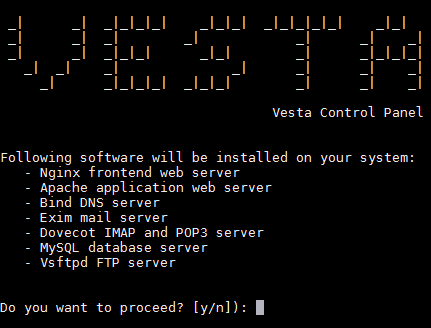
Press “y” and “enter” to proceed with the installation.
You will be prompted to enter a valid email address. Be careful to enter an address you have access to and double-check the address you entered for any typing errors, since you will not be prompted to confirm it. Vesta will use this address to try to send you your login credentials. Don’t worry if you have entered the address incorrectly. All the information you will need will be displayed in the terminal window after installation, and you will be able to change the admin email address as soon as Vesta is installed.
Upon completion, you will be presented with the following information:
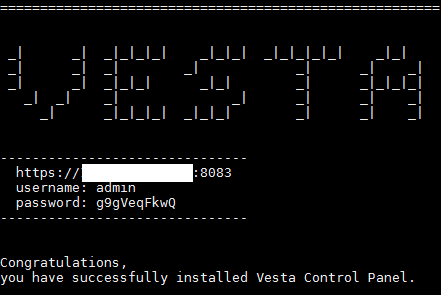
Take note of the address, username, and password. You will need it to log in to the control panel.
NOTE
If you gave the users sudo access, you might want to set that up again right now, since the Vesta installation overwrites the sudoers.tmp file to add some configurations. You can read about setting up sudo access in step four on the page.
If you don’t like the password that Vesta generated for you, you will be able to change it once you are logged in [or you can run the following command at any time]:
sudo /usr/local/vesta/bin/v-change-user-password admin NEW_PASSWORD
Just replace NEW_PASSWORD with the password you would like to use for the admin user. The above command is also handy to reset your password, should you ever lose it.
3. Log in to Vesta
Now that Vesta is installed, open your browser and go to the address that Vesta gave you in step two. If you didn’t take note of it, the address will be as follows:
https://<your-server-IP-address-or-URL>:8083
Notice that the URL starts with https:// and not http://. This means that we are accessing Vesta over a secure connection. This secure (SSL) connection needs a certificate on the VPS to use for securing the data transport. Since we have not set up any certificates yet, an unsigned server generated certificate is used, which is why you will get a warning message from your browser similar to the one in the following screenshot:
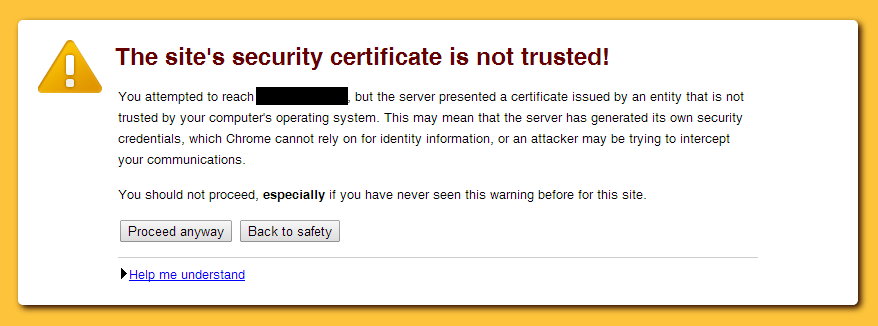
Just press “Proceed anyway” or the equivalent in your browser, after which you will reach the login page. Login using your credentials that you obtained in step 2:
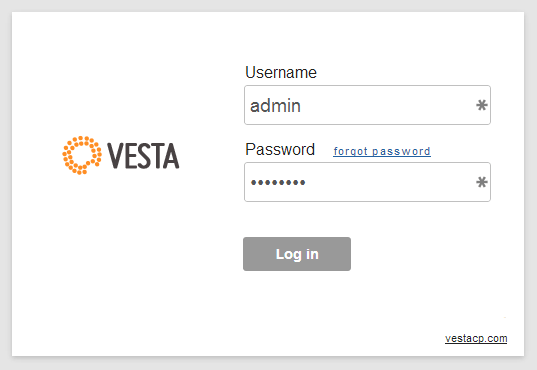
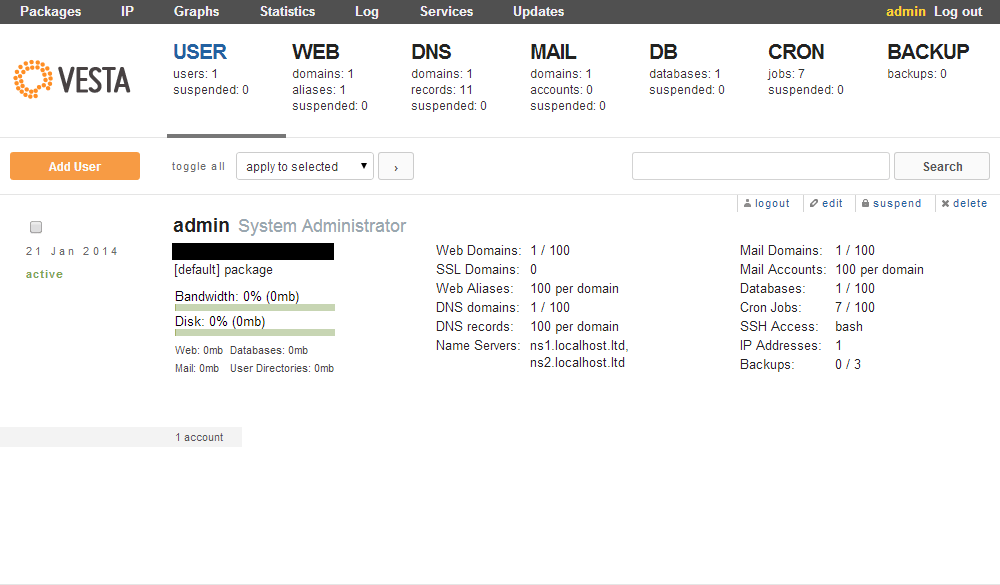
After logging in, you will be presented with the control panel where you can continue to configure users, web sites, DNS servers, databases, etc.
<div class=“author”>Submitted by: Francois De Wet</a></div>
Thanks for learning with the DigitalOcean Community. Check out our offerings for compute, storage, networking, and managed databases.
About the author

Still looking for an answer?
 This work is licensed under a Creative Commons Attribution-NonCommercial- ShareAlike 4.0 International License.
Become a contributor for community
Get paid to write technical tutorials and select a tech-focused charity to receive a matching donation.

DigitalOcean Documentation
Full documentation for every DigitalOcean product.

Resources for startups and AI-native businesses
The Wave has everything you need to know about building a business, from raising funding to marketing your product.
The developer cloud
Scale up as you grow — whether you're running one virtual machine or ten thousand.

Start building today
From GPU-powered inference and Kubernetes to managed databases and storage, get everything you need to build, scale, and deploy intelligent applications.



