
Introduction
Maya1 has been trending on HuggingFace lately.
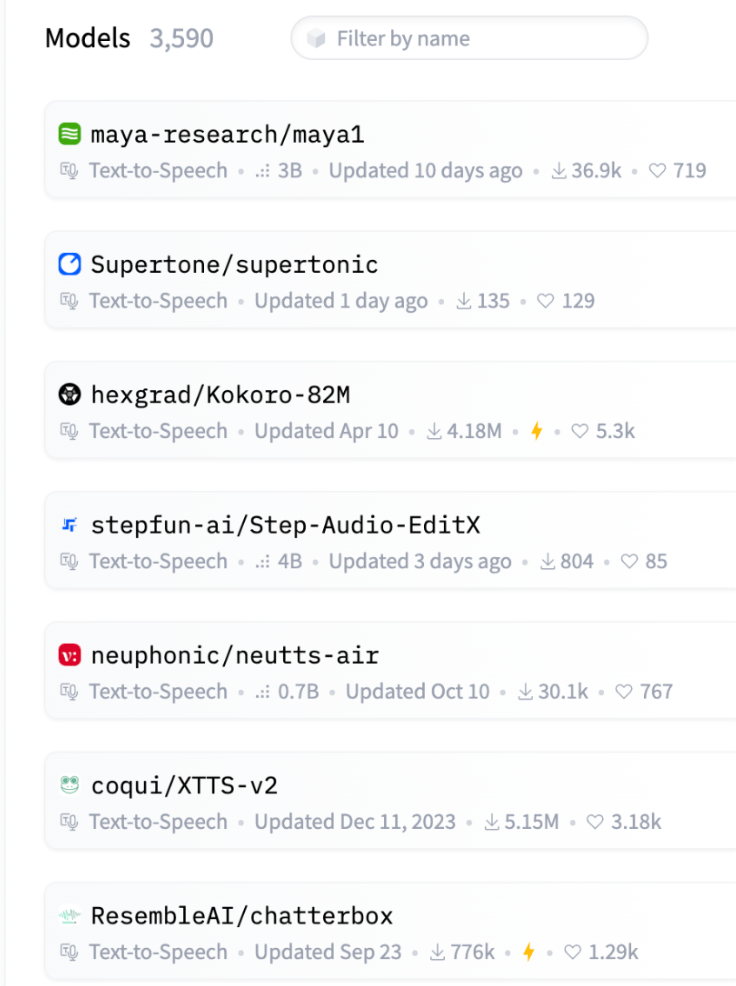
Image taken from HuggingFace with the tag text-to-speech on November 21st, 2025
Similar to other voice models we’ve covered such as Dia, Sesame-CSM, and Chatterbox, Maya1 was specifically engineered to accurately reproduce genuine human emotion and allows for precise, detailed control over the voice’s characteristics.
Maya1 and other leading voice models address a critical market where voice quality matters. Game developers can generate character voices with dynamic emotional range without hunting for voice actors. Podcasters and audiobook producers get consistent, expressive narration across hours of content. AI assistants become more natural when they can respond with appropriate emotional cues. Content creators produce compelling voiceovers for YouTube and TikTok. Customer service teams deploy bots that actually sound empathetic. And accessibility tools finally get the engaging, natural voices they’ve always needed.
Maya1 comes from Maya Research, a small team of two. The model employs a 3B-parameter Llama-style transformer to predict SNAC neural codec tokens, enabling compact yet high-quality audio generation.
Its training foundation consists of pretraining on an internet-scale English speech corpus, followed by fine-tuning on a proprietary dataset of studio recordings that encompasses multi-accent English, over 20 emotion tags per sample, and various character and role variations.
Key Takeaways
- State-of-the-Art TTS Model: Maya1 is a 3-billion-parameter Text-to-Speech (TTS) model designed to accurately reproduce genuine human emotion and offer precise, detailed control over voice characteristics.
- Technical Foundation: It utilizes a Llama-style transformer to predict SNAC neural codec tokens, enabling compact, high-quality audio generation at a 24kHz sample rate. Its training includes an internet-scale English corpus and a proprietary dataset encompassing multi-accent English and over 20 emotion tags.
- Broad Market Applications: Maya1 is valuable in industries where voice quality and emotional authenticity are critical, such as game development, podcasting/audiobooks, AI assistants, content creation, and customer service bots.
- Implementation Requirements: Running the 3B-parameter model effectively requires a GPU with a minimum of 16GB VRAM.
Implementation
For quick testing, feel free to access the model on HuggingFace spaces.
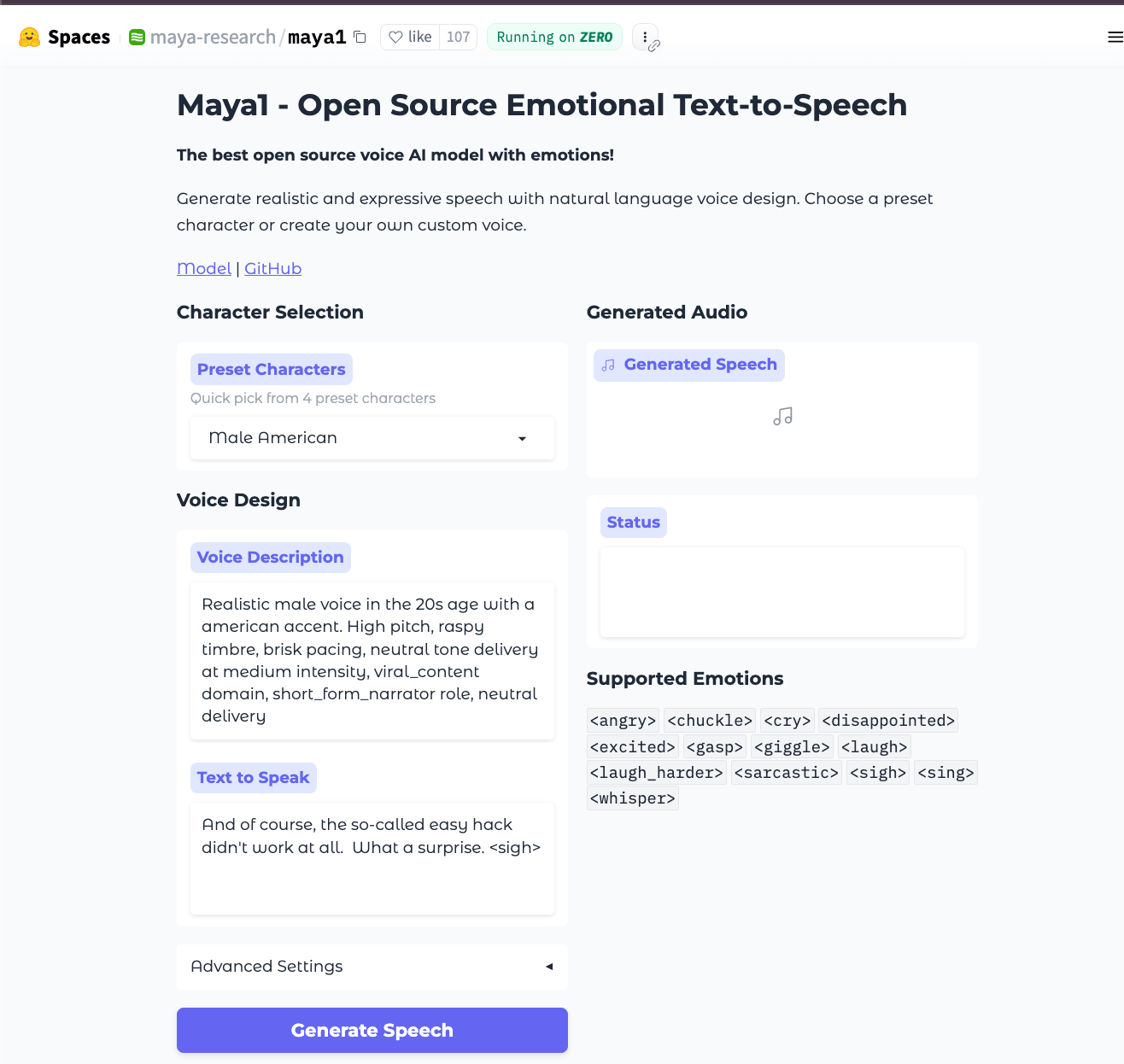
First, you will need a GPU for this to run at a reasonable speed, as it is a 3B parameter model. You need to install the necessary libraries, including the specific audio codec snac.
Step 0: Set up a GPU Droplet
Begin by setting up a DigitalOcean GPU Droplet. We’re going to select the inference-optimized image. 16GB VRAM is the baseline for running Maya1 effectively so your GPU options are flexible.
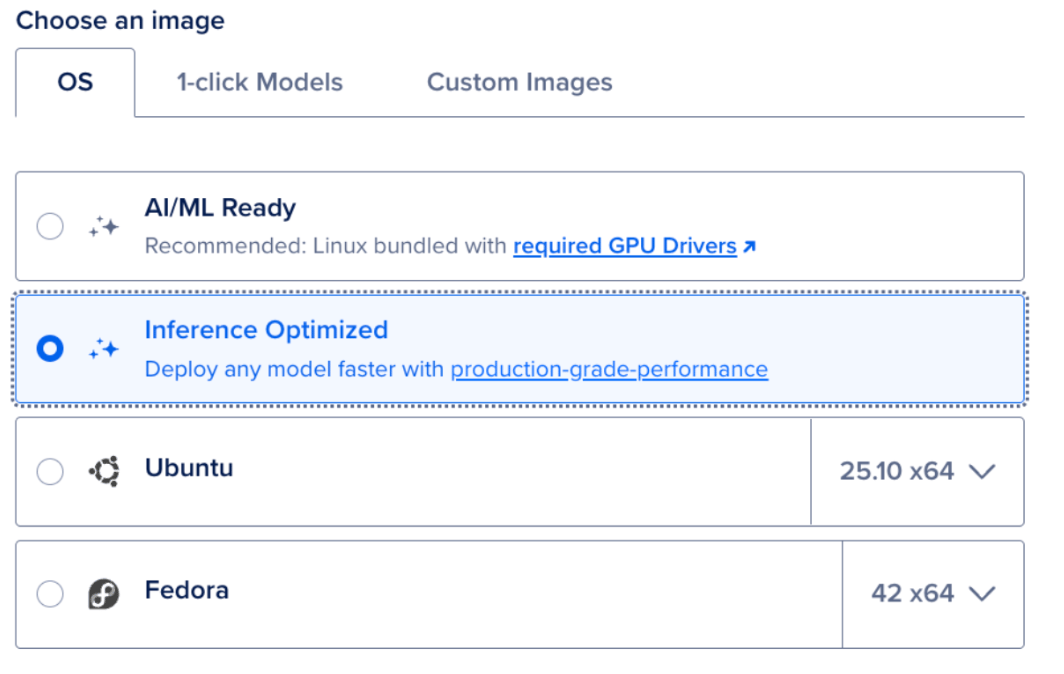
Running the model is simple. After you’ve SSH’d into your droplet. You can run the following commands in your terminal.
1. Install
python3 -m venv venv
source venv/bin/activate
pip install -r requirements.txt
2. Configure
# Create .env file
echo "MAYA1_MODEL_PATH=maya-research/maya1" > .env
echo "HF_TOKEN=your_token_here" >> .env

# Login to HuggingFace
huggingface-cli login
3. Start Server
./server.sh start
# Server runs on http://localhost:8000
4. Generate Speech
curl -X POST "http://localhost:8000/v1/tts/generate" \
  -H "Content-Type: application/json" \
  -d '{
    "description": "Male voice in their 30s with american accent",
    "text": "Hello world <excited> this is amazing!",
    "stream": false
  }' \
  --output output.wav
FAQ
What is Maya1?
Maya1 is a State-of-the-Art (SOTA), 3-billion-parameter Text-to-Speech (TTS) model developed by Maya Research. It is specifically engineered to generate speech with genuine human emotion and allows for precise control over voice characteristics.
What technology does Maya1 use?
Maya1 employs a Llama-style transformer architecture to predict SNAC neural codec tokens. This enables compact, high-quality audio generation at a 24kHz sample rate.
What are the key features of Maya1’s training data?
The model was initially pretrained on an internet-scale English speech corpus and then fine-tuned on a proprietary dataset. This fine-tuning dataset includes multi-accent English, over 20 emotion tags per sample, and various character and role variations.
Where can I test Maya1 without setting up my own server?
You can quickly test the model on the official HuggingFace Space by maya-research.
What are the common potential use cases for Maya1?
Maya1 is ideal for applications where voice quality and emotional authenticity are critical, including:
- Game character voice generation with dynamic emotional range.
- Podcasting and audiobook narration.
- Creating natural and empathetic AI assistants or customer service bots.
- Producing compelling voiceovers for content creators (YouTube, TikTok).
Final Thoughts
In this tutorial you learned about and implemented Maya1, a new trending open-source text-to-speech (TTS) model. We hope you give Maya1 a go and let us know how it performs compared to other voice models for your desired use case.
Thanks for learning with the DigitalOcean Community. Check out our offerings for compute, storage, networking, and managed databases.
About the author

Melani is a Technical Writer at DigitalOcean based in Toronto. She has experience in teaching, data quality, consulting, and writing. Melani graduated with a BSc and Master’s from Queen's University.
Still looking for an answer?
This textbox defaults to using Markdown to format your answer.
You can type !ref in this text area to quickly search our full set of tutorials, documentation & marketplace offerings and insert the link!
 This work is licensed under a Creative Commons Attribution-NonCommercial- ShareAlike 4.0 International License.
Become a contributor for community
Get paid to write technical tutorials and select a tech-focused charity to receive a matching donation.

DigitalOcean Documentation
Full documentation for every DigitalOcean product.

Resources for startups and AI-native businesses
The Wave has everything you need to know about building a business, from raising funding to marketing your product.
The developer cloud
Scale up as you grow — whether you're running one virtual machine or ten thousand.

Start building today
From GPU-powered inference and Kubernetes to managed databases and storage, get everything you need to build, scale, and deploy intelligent applications.
