What is OpenClaw? Your Open-Source AI Assistant for 2026

By Maddy Osman
Senior Content Marketing Manager at DigitalOcean
- Updated:
- 6 min read
With new AI agents, ML dev tools, and copilots dropping almost daily, it’s rare for a new tool to truly stand out. Yet that’s precisely what OpenClaw (previously Moltbot and Clawdbot) did—despite the fact that it’s not an offering from one of the frontier AI labs. Rather than offering another chatbot, OpenClaw delivers a true personal AI agent that runs locally, remembers context across conversations, and can actually do things on your machine. And it’s completely open-source—no subscription, just bring your own API key.
The hype was immediate: 60,000+ GitHub stars in 72 hours and developers calling it the closest thing to JARVIS we’ve seen. If you’ve yet to try it for yourself, or you’re still wondering “What is OpenClaw?”—this guide has you covered.
Key takeaways:
- OpenClaw is a viral open-source AI assistant that acts as a proactive personal agent, connecting AI models with your local files and messaging apps like WhatsApp and Discord to automate tasks around the clock.
- Users can expand the tool’s capabilities using over 100 preconfigured AgentSkills that allow the AI to execute shell commands, manage file systems, and perform web automation.
- The project remains model-agnostic and privacy-focused, allowing you to bring your own API keys for cloud models or run local models entirely on your own infrastructure.
- DigitalOcean offers 1-Click OpenClaw Deploy, which features a hardened security image.
What is OpenClaw (previously Moltbot and Clawdbot)?
OpenClaw (affectionately called “Molty”) is a viral open-source personal AI agent with 68,000 GitHub stars (and counting), created by PSPDFKit founder Peter Steinberger. It brings together the technology of agents with the data and apps you use on your local machine to serve as a high-powered, high-context AI assistant. It operates a local gateway that connects AI models with your favorite tools, integrating with familiar chat apps to facilitate convenient interactions. Many describe it as “self-improving”, likened to AGI (artificial general intelligence), because it can enhance its own capabilities by autonomously writing code to create relevant new skills to execute your desired tasks, implement proactive automation, and maintain long-term memory of user preferences.
OpenClaw key features:
- Functions as a local gateway that provides AI models with direct access to read and write files, run scripts, and control browsers through a secure sandbox.
- Maintains persistent memory and user preferences by storing data as local Markdown documents, allowing for deep personalization and manual tweaking of instructions.
- Bridges the gap between AI models and over 50 third-party integrations, including smart home hardware, productivity suites, and music platforms.
OpenClaw pricing:
- Free/open-source. The cost to use OpenClaw is associated with AI model API usage.
Learn about the three things to know about OpenClaw from DigitalOcean’s Senior Developer Advocate, Lizzie Siegle:
How OpenClaw works
OpenClaw runs on your local machine (Mac, Windows, or Linux), staying private. It works with your favorite AI models (including local models) and incorporates persistent memory across conversations. Interact with OpenClaw through your favorite chat apps, including Slack, Discord, iMessage, and WhatsApp.
You can either operate OpenClaw in a sandbox or give it full system access to read and write files, plus run shell commands and execute scripts. It can also be used to control your browser, filling out forms and extracting website data.
Wondering how OpenClaw works under the hood? Learn more about the technical details of OpenClaw behind the scenes: high-level architecture, its Gateway core, plus how it connects to apps, and understanding security risks.
How to set up OpenClaw
While many developers are talking about buying Mac Minis to run their own instances of OpenClaw, there’s no need to make the investment of hundreds of dollars in physical hardware to get started today.
Check out our tutorial to learn how to run OpenClaw using safe defaults with DigitalOcean’s security-hardened 1-Click OpenClaw Deploy.
If you’re setting up OpenClaw locally, proceed with caution around existing security concerns. If you decide to move forward, run this command in your favorite terminal program to get started quickl —it includes everything necessary for the installation, including Node.js:
curl -fsSL https://openclaw.ai/install.sh | bash
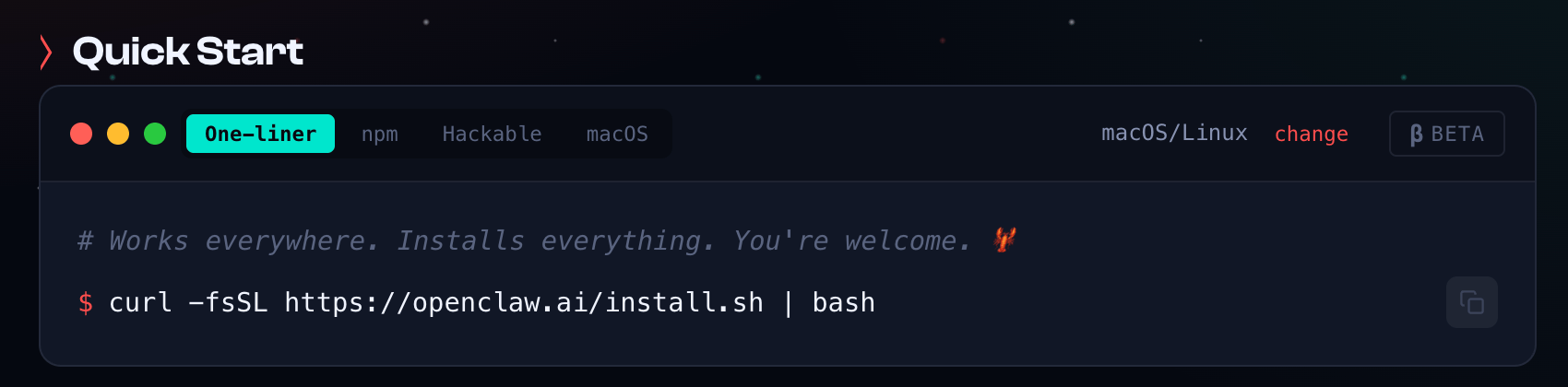
It works on macOS, Windows & Linux.
For additional installation options, visit the OpenClaw website, their documentation, or DigitalOcean’s OpenClaw documentation.
Learn more about OpenClaw on DigitalOcean and our 1-Click OpenClaw Deploy: security-hardened, production-ready agentic AI.
How to use OpenClaw
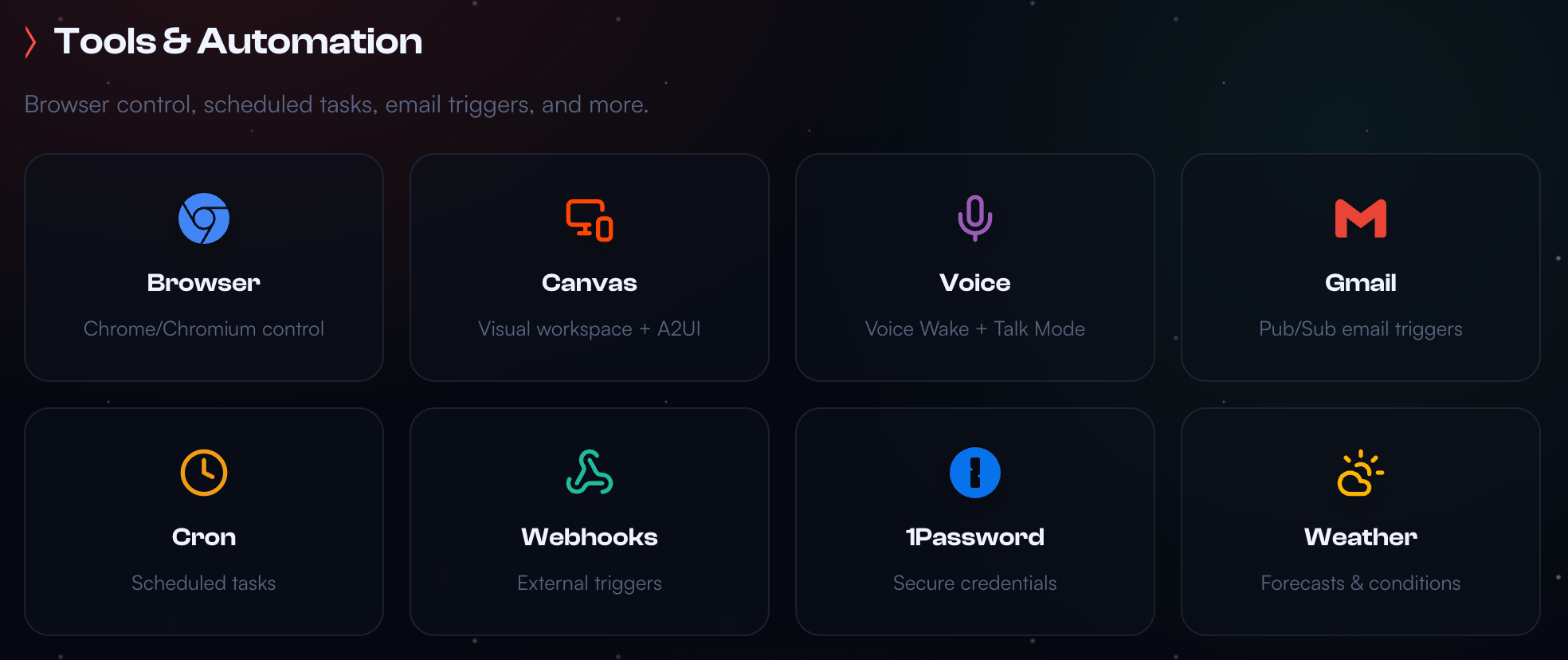
OpenClaw is expanding rapidly, thanks to open-source support from community contributors. At publication, it has 50+ integrations that span chat providers, AI models, productivity tools, music and audio platforms, smart home devices, automation tools, and more.**
OpenClaw use cases
In tandem with OpenClaw’s rapidly expanding integrations are numerous use cases for personal and professional tasks, including:
- Developer and technical workflows. Automate debugging, DevOps, and codebase management with direct GitHub integration, scheduled cron jobs, and webhook triggers that keep your projects running while you sleep.
- Personal productivity. Manage your day across Apple Notes, Apple Reminders, Things 3, Notion, Obsidian, and Trello—all from a single conversation in WhatsApp or Telegram.
- Web automation and browser control. Let OpenClaw fill out forms, scrape data, and navigate websites on your behalf using its built-in browser integration.
- Smart home and health monitoring. Control Philips Hue lights, Elgato devices, and Home Assistant setups, or pull health data from wearables to track your daily metrics.
- Communication and social. Draft and schedule posts to Twitter/X and Bluesky, or manage email workflows through Gmail—without leaving your chat app.
- Media and creative tasks. Generate images, search GIFs, create audio content with Spotify and Sonos integrations, or use Replicate for AI-powered media generation.
Here are some real-world examples that savvy early adopters have already put to work to make their lives easier:
Mike Manzano shares how he set up OpenClaw to run his coding agents while he was sleeping:
AJ Stuyvenberg is using OpenClaw to negotiate his next car purchase:
And André Foeken used OpenClaw to coordinate a supermarket order:
…In addition to everything else on his to-do list:
Taking the idea a step further, Steve Caldwell configured OpenClaw to build a weekly meal planning system in Notion, saving his family an hour per week:
Anita Kirkovska used OpenClaw to build her ideal AI assistant entity:
And Andy Griffiths used OpenClaw to build a functional Laravel app while grabbing coffee—on DigitalOcean infrastructure:
YouTuber Craig Hewitt shares additional ideas for OpenClaw automations you can build on DigitalOcean infrastructure:
OpenClaw for AgentSkills
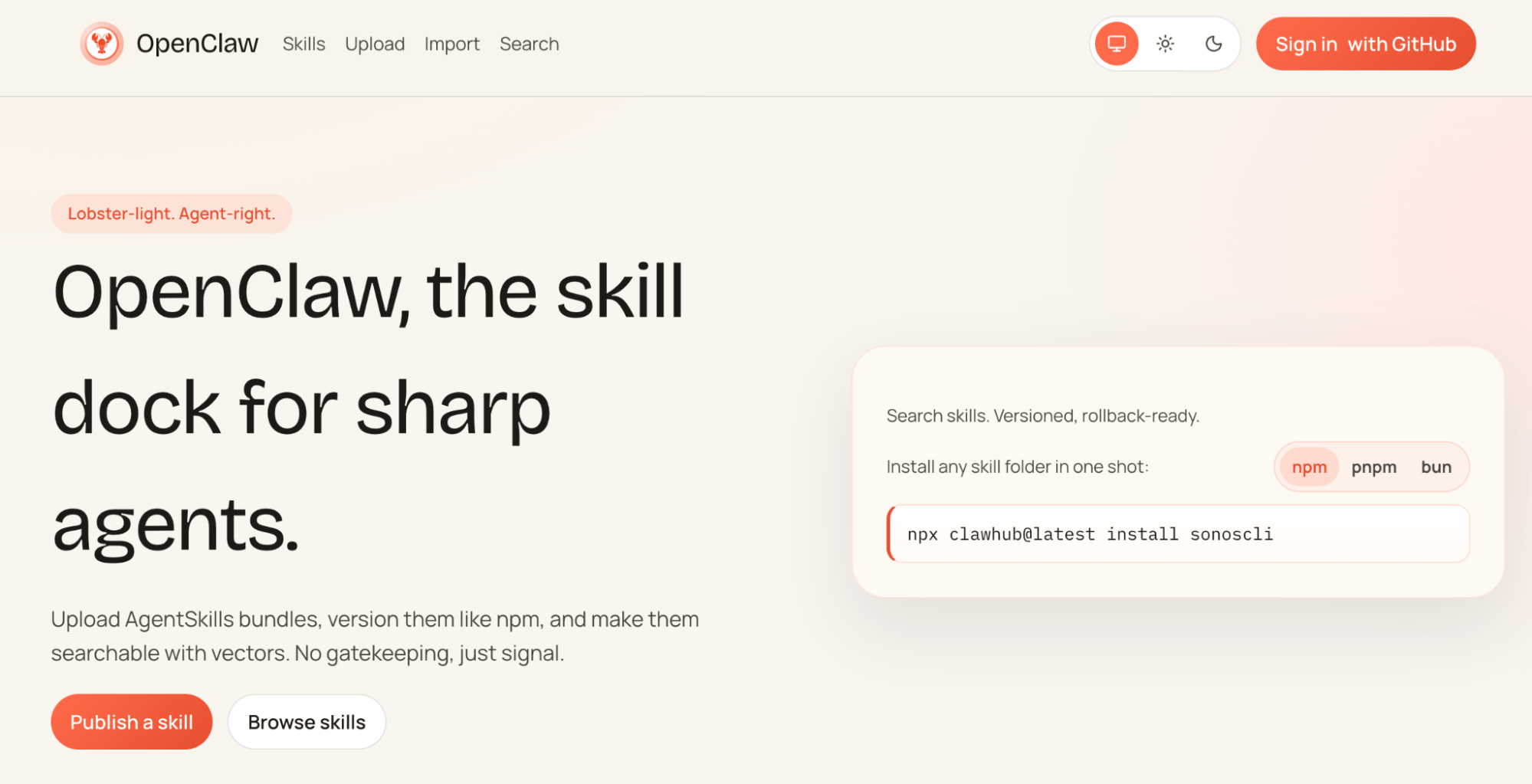
A similar concept to Claude Skills, OpenClaw offers 100+ preconfigured AgentSkills bundles for expanding its usefulness. Users can search the registry to find the skills most relevant to their needs, as well as contribute their own.
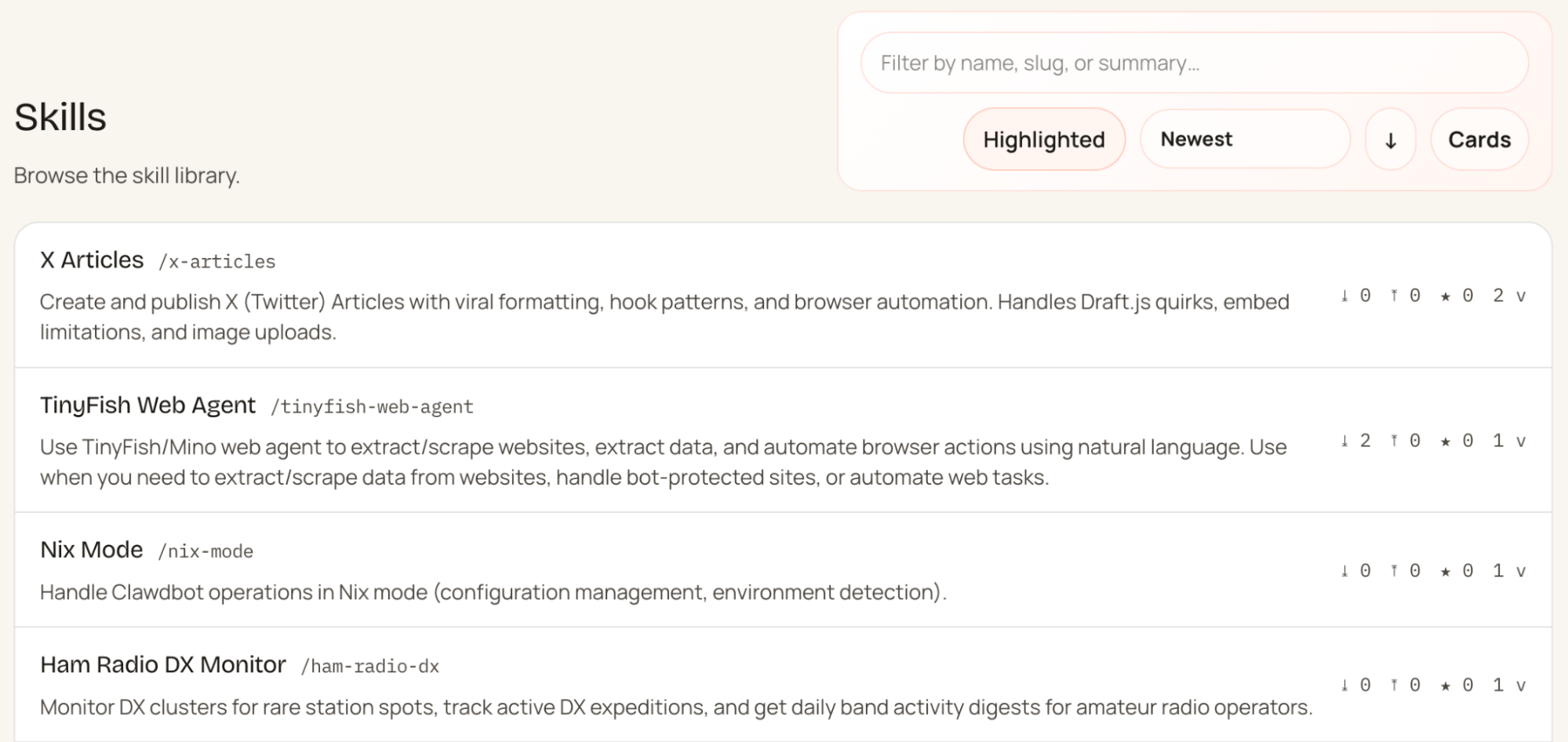
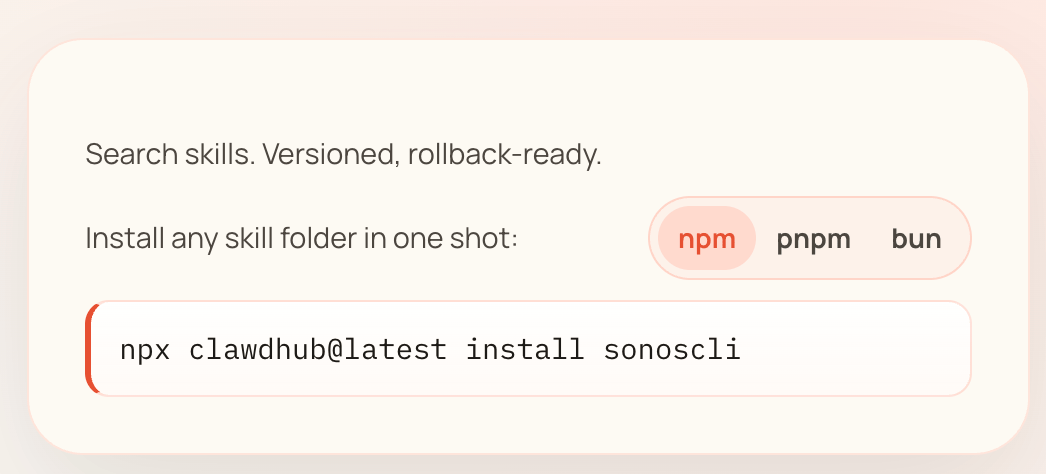
Once you’ve decided on the skills you want to use with OpenClaw, installation is another straightforward terminal command.
Don’t see a skill that fits your needs, but have an idea for one? Prompt OpenClaw to create it, then share with the class.
Quickly deploy an always-on instance of OpenClaw using a DigitalOcean 1-Click OpenClaw Deploy, which features a hardened security image, starting at $24/month.
What is OpenClaw? FAQ
What is OpenClaw?
OpenClaw is a self-hosted agent runtime and message router that acts as a personal AI assistant running on your own machine. It functions as a long-running Node.js service that connects various chat platforms, like WhatsApp and Discord, to an AI agent that can execute real-world tasks.
Why is OpenClaw going viral?
OpenClaw has become one of the fastest-growing open-source projects in history, exploding from 9,000 to over 60,000 GitHub stars in just a few days. It has captured developer attention by offering a “24/7 Jarvis” experience where a self-hosted AI can proactively reach out to users and execute autonomous tasks across multiple messaging apps.
What can you use OpenClaw for?
You can use OpenClaw to automate digital tasks by giving it the ability to run shell commands, interact with web browsers, and manage local files. It is commonly used as a proactive personal assistant that handles message routing, remembers conversation history, and triggers complex automations through natural language.
How can you set up OpenClaw?
The recommended setup involves deploying a DigitalOcean Droplet and running the official onboarding wizard via a terminal command. This process automatically configures your LLM provider, links chat channels like WhatsApp, and installs a systemd service to keep the gateway running 24/7.
About the author

Maddy Osman is a Senior Content Marketing Manager at DigitalOcean.
Start building today
From GPU-powered inference and Kubernetes to managed databases and storage, get everything you need to build, scale, and deploy intelligent applications.
